
Several months ago, I noticed that one of the nearby offices was using a whiteboard mounted outside their office door to keep people informed of their comings and goings. “That’s good communication!” I thought to myself, “but my team is made up of geeks. Surely we can do something nerdier!”
Thus was born an experiment with Twitter that is yielding some good results. It began with our six-person development team: programmers who were interested in participating set up a twitter account and began posting what they were up to through the day. We subscribed to each other’s updates and easily keep a finger on the pulse of the team’s activity. (This was especially helpful when working off-site or stuck in meetings.) In addition to the standard Twitter functionality, we also wrote a little Rails app that uses Twitter’s APIs to build a replacement for the old-style In-Out board. People can pull up the status screen from a web browser or look at a monitor we stuck in the window of one of our cubicles to see at a glance who was around and what they were up to:
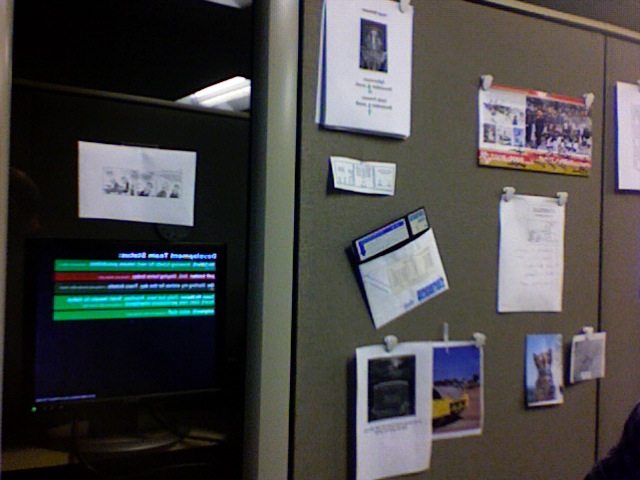
Status Board In Situ
After a month of voluntary participation, we had a meeting to discuss whether it was worth keeping up, and decided that the minimal effort required to improve our communication was well-spent. We’ve been using the system regularly for several months now. (One interesting side-effect that I’ve noticed is that it helps me to keep on task a little better: when I post that I’m working on ticket #726, I feel a little guilty if I’m not actually working on it!)
Of course, people walking by quickly noticed the screen and asked whether it could be expanded to include other people as well. At my boss’ requenst, we put together another status screen for use at the department’s front desk, where the people there can quickly ascertain whether a call can be transferred or a visitor directed back to someone’s office. It looks like this (with strategic blurring to protect the unwitting):
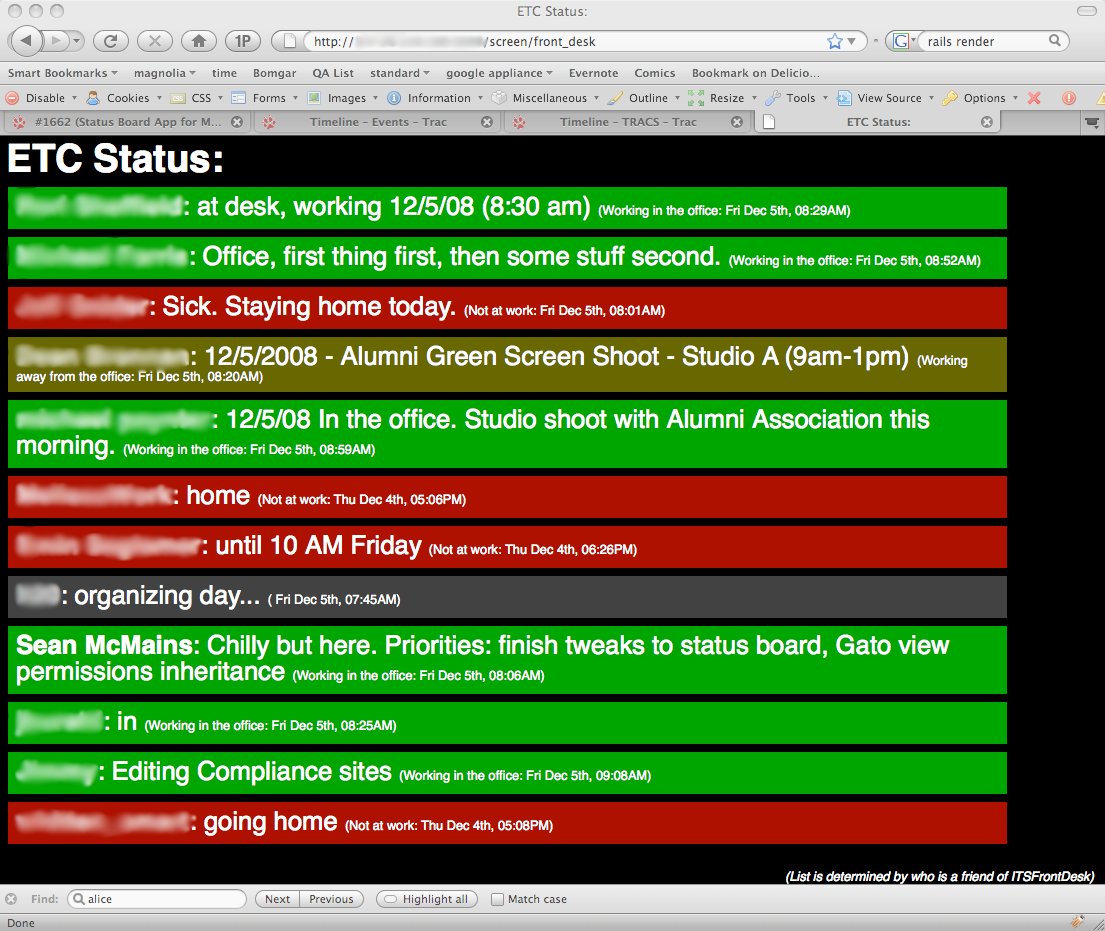
Front Desk Status
The color-coding is done by preceding a status update with “IN:”, “OUT:”, or “OFF:” (for those times you’re working but not at your desk), a feature of our status board app. While some of the folks around the department were initially a bit skeptical, they have quickly become enthusiastic once they use it for a day or two. The front-desk folks decided that they’d rather have timestamps than the “x hours ago” notation we’d originally used, so we tweaked the app to better meet their needs.
We’re still refining our software (I need to make the caching smarter), there are at least two other Status Board applications under development in the department (using Javascript and FLEX), and I now quickly hear about it if something goes wrong with the system. It should be interesting to see where this thing goes over the next few months! (If there’s interest, I can clean up the Rails code and open-source it once I finish the caching improvements.)